Watch a short tutorial on creating the Plan.
(For best results, watch full screen.)
Skip to another task in Phase Two.
1. Log in to ePerformance.
2. In Action Items, click Item with the description “Next Level Supervisor Approves Appraisal”

3. Review the appraisal to ensure the supervisor:
- Complied with SHRA Performance Appraisal Guidelines by inputting specific performance examples and improvement criteria in the comments box if the employee was rated as ‘Exceeding Expectations’ or ‘Not Meeting Expectations’.
- Rated the employees in their unit consistently if the performance and/or conduct appraised was essentially the same or similar.
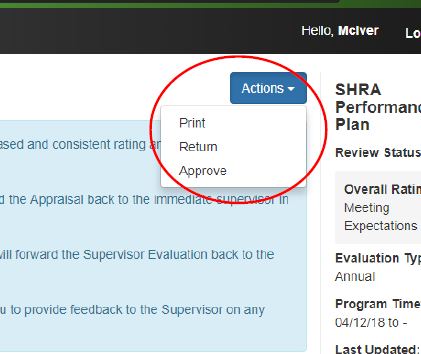
4. When complete, in Actions drop down choose either:
- Return to indicate modifications to, and/or additional information for the Supervisor Appraisal are required and the action is returned to the Supervisor’s queue. Indicate what actions need to be completed in the Comment box.
- Approve to indicate your concurrence with the Ratings and Comments, as well as your assurance that all required information is completed and included.