


Watch a brief tutorial on acknowledging an appraisal.
(For best results, watch full screen.)
Skip to another task in Phase Two.
1. Log in to ePerformance
2. In Action Items, click Item with the description “Appraisal Meeting”.

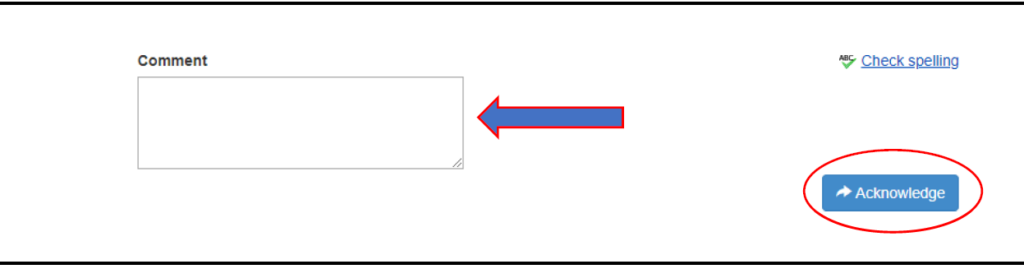
3. Use Comment section to notate any highlights to make a matter of record.
4. Click one of the following:
Acknowledge: You affirm that you have met with your employee. This will move the appraisal to the employee for acknowledgement.
Return: If during the Appraisal Meeting it’s determined changes are warranted to the Appraisal, clicking the ‘Return’ button will send the Appraisal back to the immediate supervisor.
1. Log in to ePerformance
2. Click on the Action Item

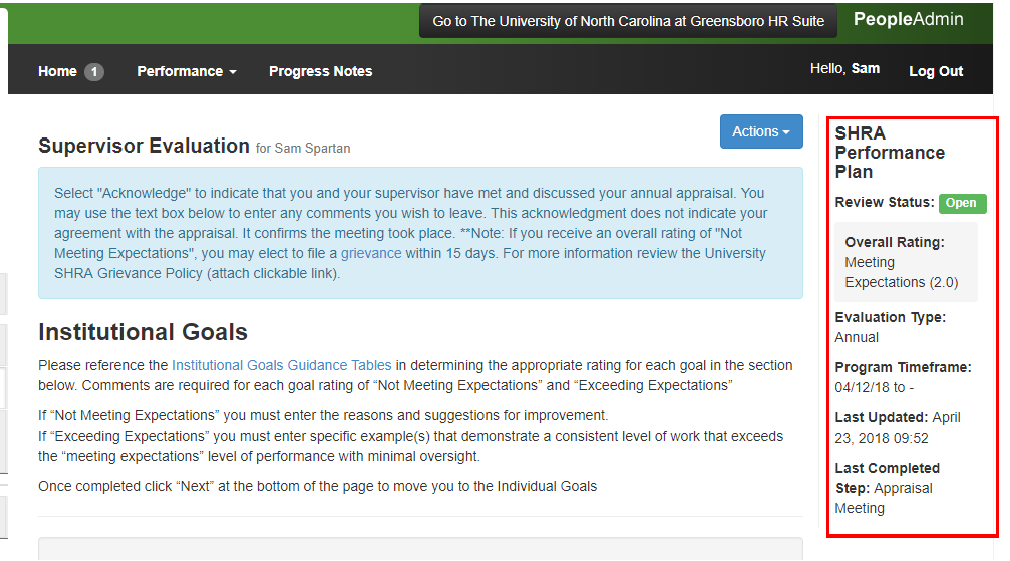
3. To the right is your Overall Rating and other information. The blue box contains information about acknowledgement and your grievance rights. Review the evaluation.
4. Type in Comments and then click Acknowledge.
To print, click Approvals & Acknowledgements in the left menu and Print.